How to Convert MSG to MBOX File Format – All by Yourself

As we are well aware of the fact that when it comes to email processing, MS Outlook is the one that comes to the mind of every user. But, it costs you a certain amount as it comes as a part of MS Office suite. On the other hand, Thunderbird is a completely free email client with several unique features. Many users find themselves needing to convert MSG to MBOX when transitioning from Outlook to MBOX-supported email clients like Thunderbird, Apple Mail, or Opera Mail. This conversion ensures seamless access to their email history in a new platform.
MSG is an email extension that is offered by Microsoft Outlook to basically store one email message information. Whereas MBOX is known as the mailbox extension which consists of several emails in a single extension. Also, the MBOX file format is compatible with different operating systems like Mozilla Thunderbird, Apple Mail, Opera Mail, etc. Therefore, switching from Outlook often requires users to convert Outlook MSG to MBOX.
Therefore, this leads to users switching from one email client to another. Here, we will elucidate the reasons and methods to convert MSG to MBOX file format in a smooth manner. But before moving any further, we will first encounter real user issues that they face while converting Outlook Messages to MBOX file format..
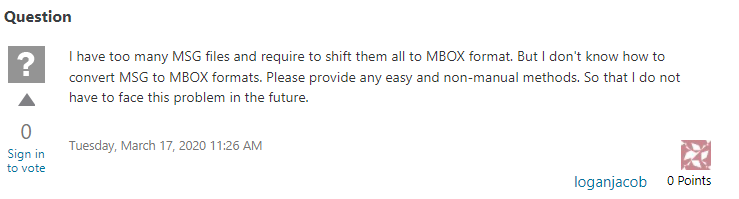
There are a few more reasons for this conversion to take place:
- Manage Email messages in a profound manner.
- Provides extra-ordinary add-ons.
- Easily receive emails regardless of the geographical location.
Is There Any Free Tool to Convert MSG to MBOX?
There is no manual method in order to securely perform MSG files to MBOX conversion. So, we would advise you to go for a reliable MSG to MBOX converter which will assure you guaranteed results only.
Why Choose Our MSG to MBOX Converter?
Our MSG to MBOX Converter is designed to make the conversion process effortless and efficient. Here’s why it stands out:
- Convert MSG to MBOX with just a few clicks.
- Works seamlessly on both Windows and Mac OS.
- Save time by converting multiple MSG files at once.
- Allows converting MSG data into PDF, EML, NSF, MBOX, Office 365, and 5 other file formats.
- Provides multiple advanced filtering options for quick conversion.
- Numerous previewing options to view the added MSG Files.
- Not necessary to install and configure MS Outlook on the machine.
- A free trial version is offered to check the functionality without investing money.
Methods to Convert MSG to MBOX
While there’s no direct manual method to convert MSG to MBOX due to the differences in file formats, using a dedicated MSG to MBOX converter is the most efficient and secure approach. Our MSG Files converter tool ensures that all your email data is accurately transferred without any loss. It is the most appropriate, error-free, and handy solution. It will help you move Outlook messages to MBOX file format within a blink of an eye. The interface of the tool is interactive and intuitive which makes it easier for non-technical users to work on it. The features other than these are stated in the section below.
MSG to MBOX Converter Wizard – For Windows Users
Step 1. Firstly download the MSG to MBOX conversion application on your Windows machine.
Step 2. Next, add the files into the panel by clicking on the “Add File” button.
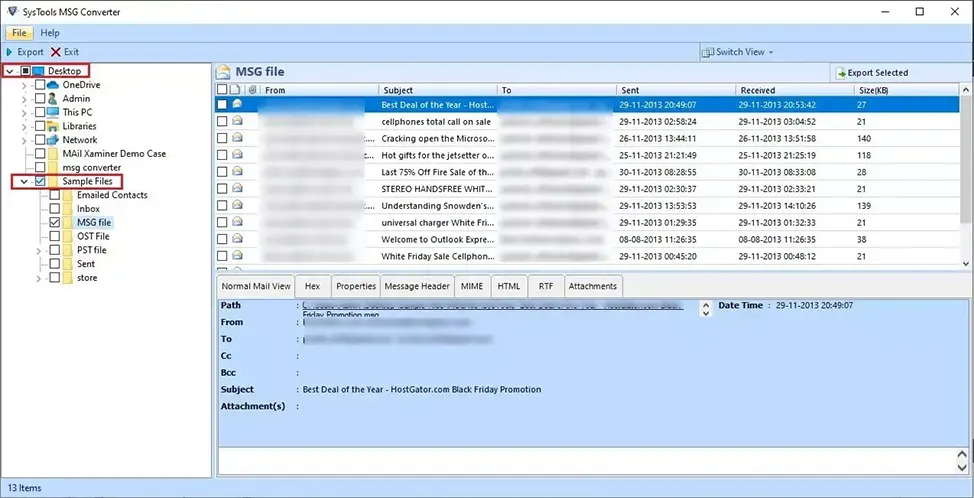
Step 3. Now you can preview the added files in 7+ modes.
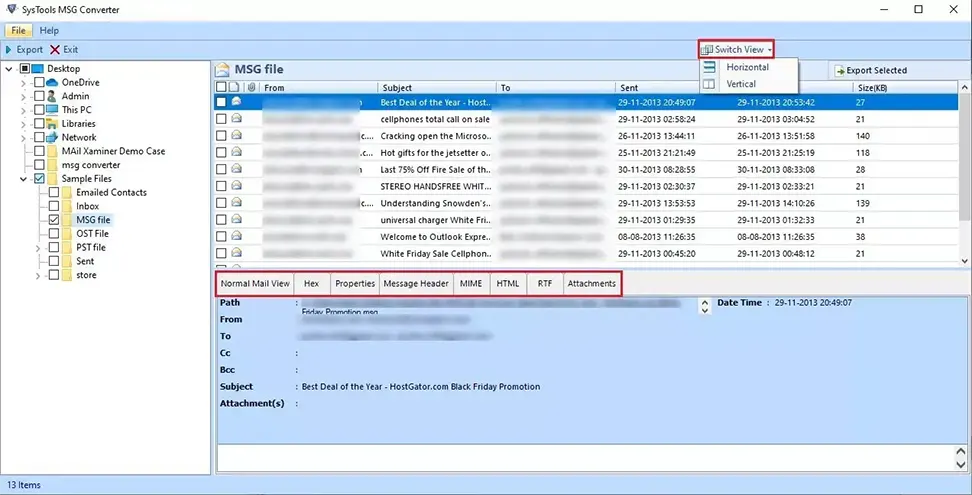
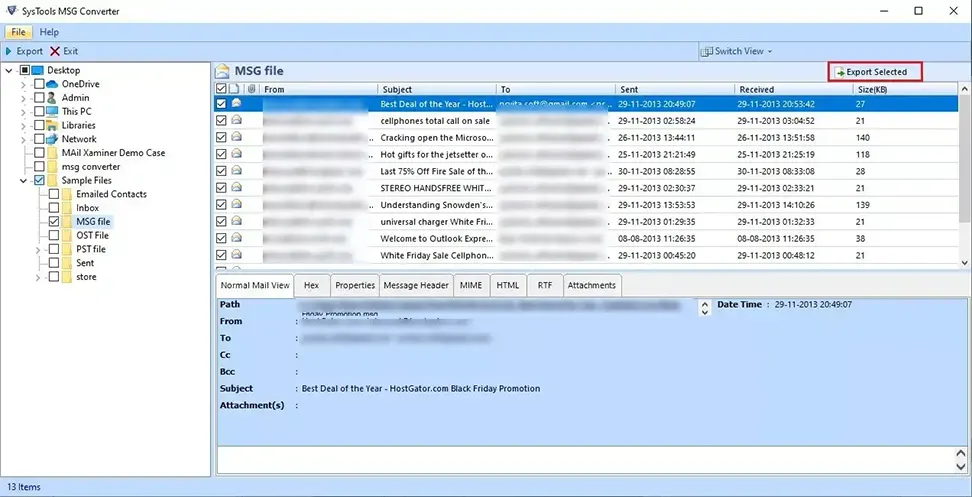
Step 4. Now, click the “Export” or “Export Selected” button to proceed further.
Step 5. Here, select “MBOX” as the export format since you want your MSG data in MBOX format.
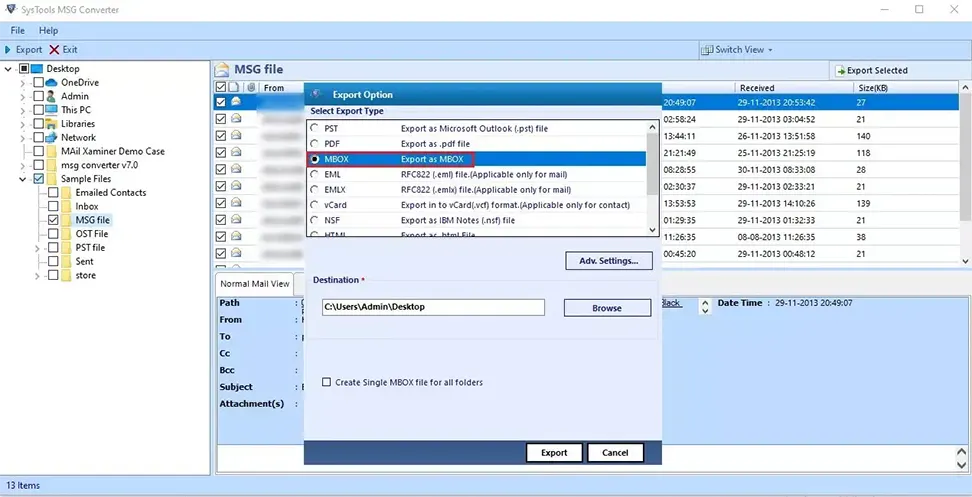
Step 6. Afterward, set the “Adv. Settings” options and save them.
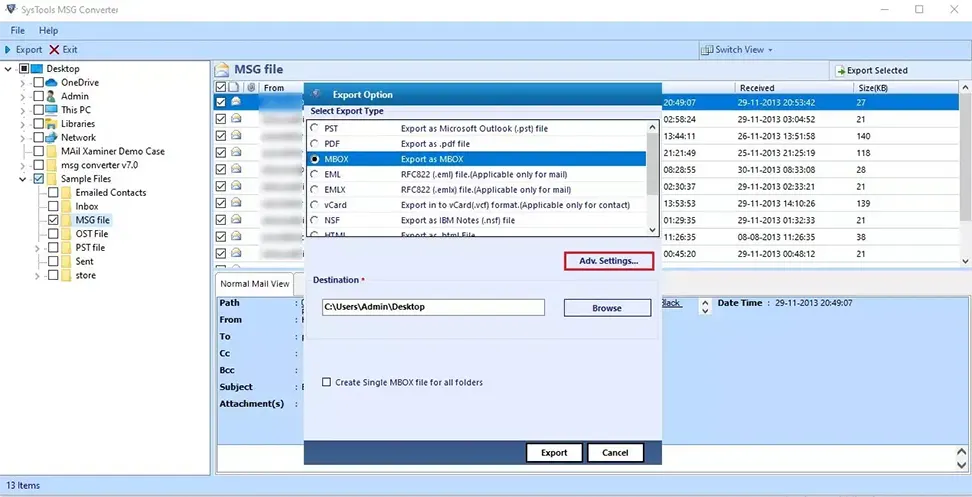
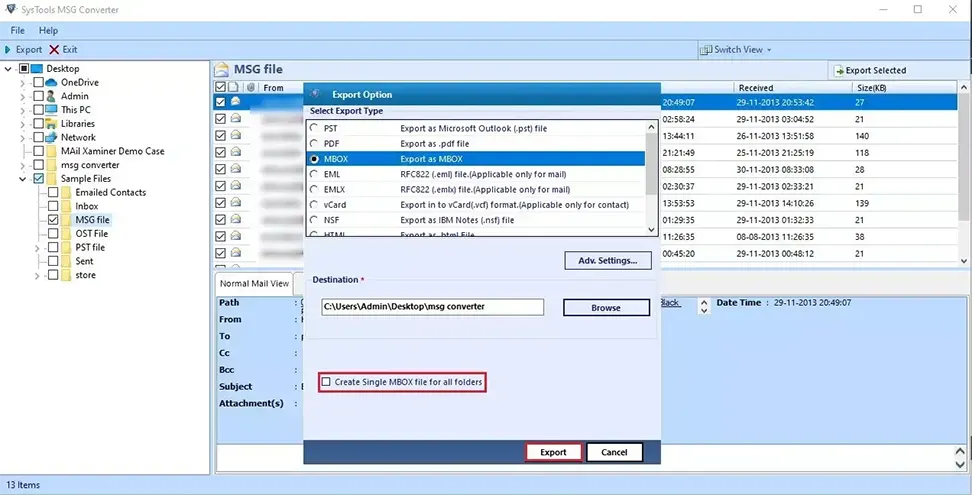
Step 7. The last step is to click on the “Export” button to start converting MSG to MBOX format.
Another Scenario: If you have a considerable amount of MSG emails, contacts, calendars, tasks, journals, etc., and want to consolidate them into Outlook PST file format, then use Outlook MSG to Outlook PST Converter.
Convert MSG to MBOX on Mac – Working Steps
Step 1. On the Mac machine, download the MSG files to the MBOX Converter tool.
Step 2. Then, click “Add File(s)” or “Add Folder(s)” to add the desired Outlook messages.
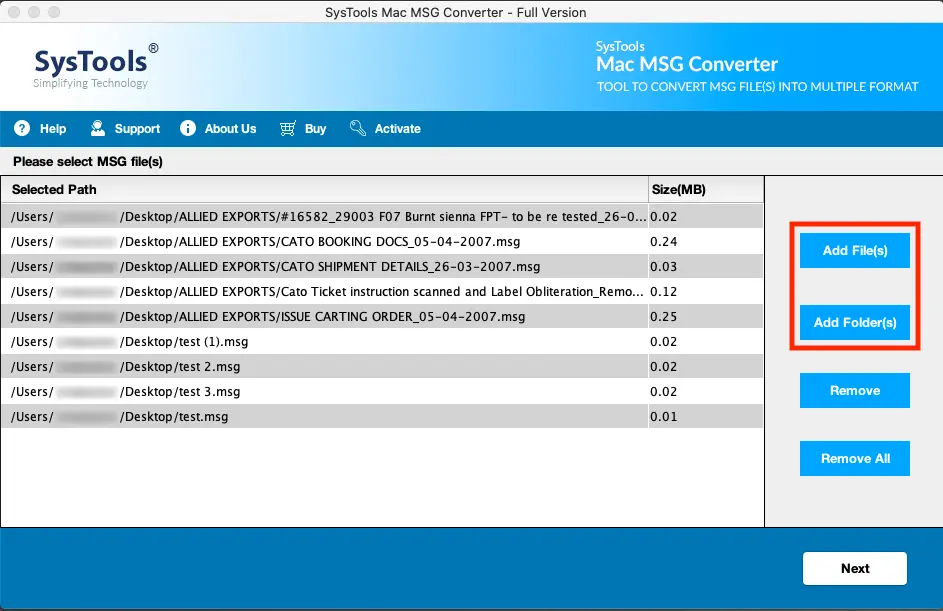
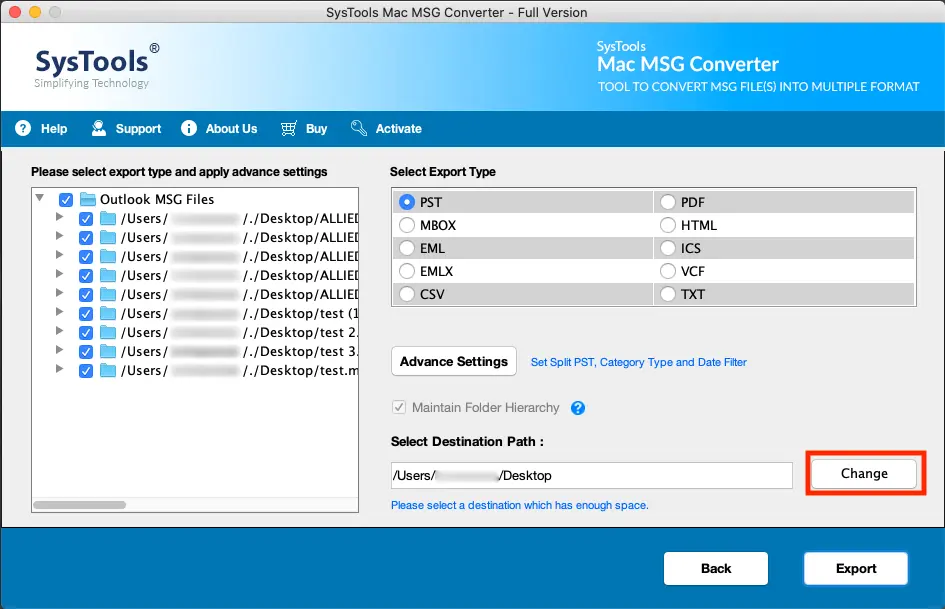
Step 3. After adding the files, click on “Next” and then on “Change” to opt for the destination location to save the converted MBOX files.
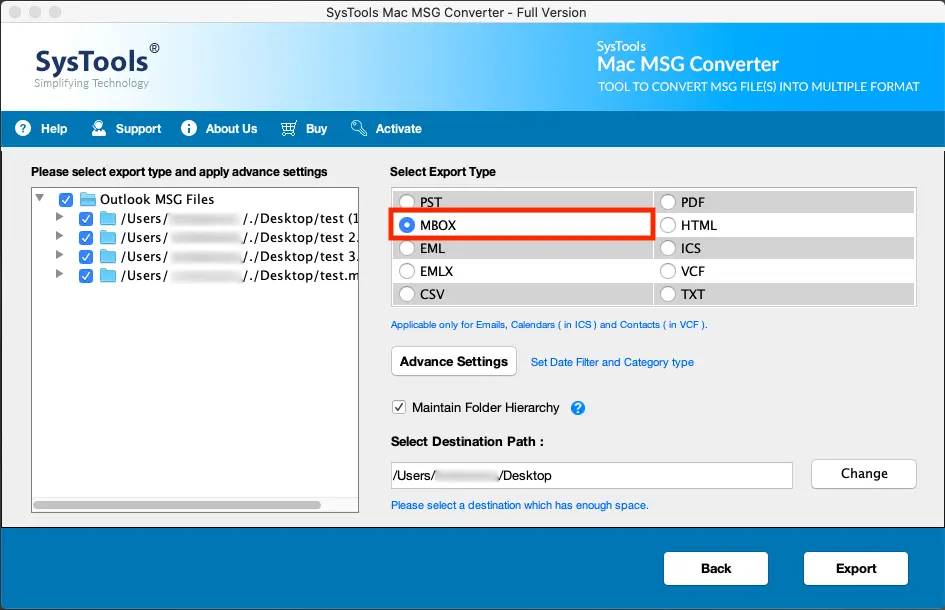
Step 4. Subsequently, click on “MBOX” file format option as the export type.
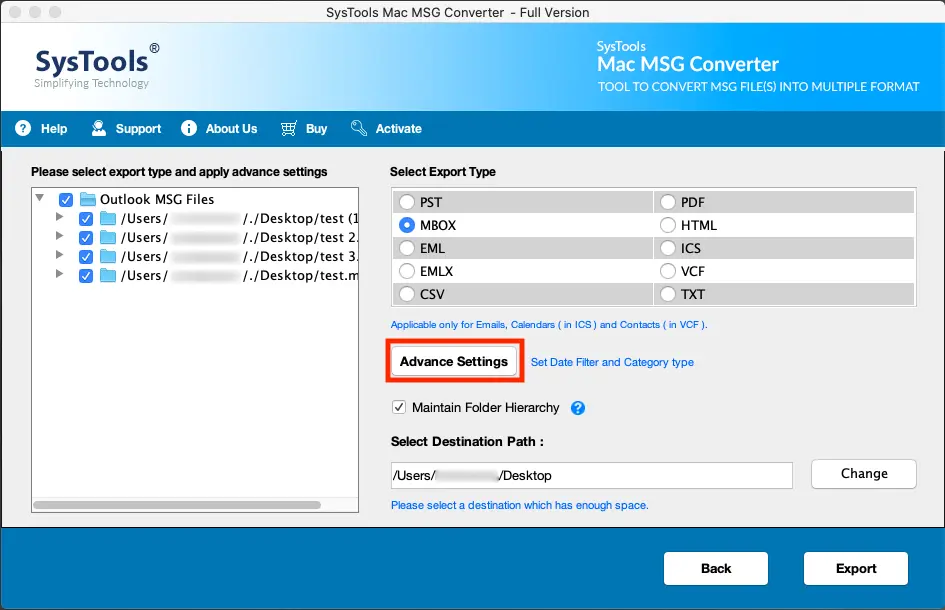
Step 5. Click on “Advanced Settings” if you want to apply the well-suited filters.
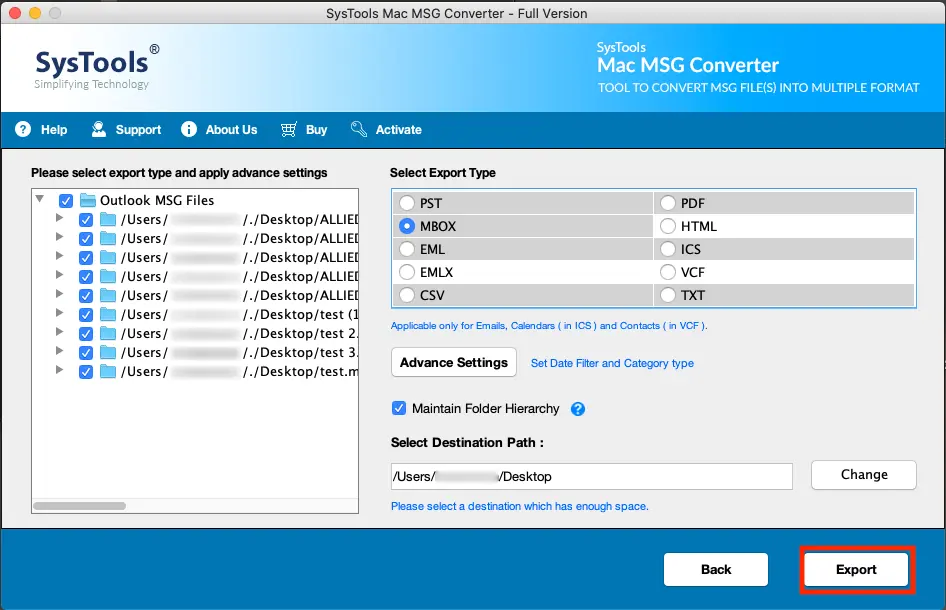
Step 6. In the end, click on the “Export” button to start the MSG to MBOX Mac conversion.
FAQs on Converting MSG to MBOX
Q1 – What is the difference between MSG and MBOX?
MSG files contain single email messages. They are used by Microsoft Outlook. On the other hand, MBOX files contain multiple emails in a single file. As for email clients, MBOX is compatible with clients like Thunderbird and Apple Mail.
Q2 – How do I convert MSG to MBOX without Outlook installed?
You can use our MSG to MBOX converter to do so. It works independently and does not require Microsoft Outlook to be installed.
Q3 – Is there a free way to convert MSG to MBOX?
MSG files are not supported by any other email software that also supports MBOX. Plus, Outlook does not work with MBOX format. So, the only way I can think of is to drag and drop the email messages from Outlook itself to dektop, then import them in an MBOX client like Thunderbird.
Q4 – How long does it take to convert MSG to MBOX?
The time required for conversion majorly depends on the number and size of MSG files. Rest assured, our solution is optimized for speed and efficiency.
In a Nutshell
The above blog holds a complete solution on how to convert MSG to MBOX on both Windows and Mac machines. Users can avail of the demo version of the tool without investing a single penny in it. Besides this, there is also a support team for your assistance 24×7.
 English
  Deutsch
  Español
  Français
  Italiano
  日本人
日本人 